
Smart POS for Retail, Supplier Ordering and Inventory
Connect your retail sales, supplier purchasing and inventory with Lexus One Smart POS. Browse participating suppliers' WooCommerce stores, review purchase prices and order stock directly. Receive the goods and complete the order to add purchased items to your POS inventory automatically.
What's Included
Sales & Inventory
Supplier Marketplace
WooCommerce Supplier Stores
Direct Stock Ordering
Inventory Updates After Receipt
Reporting & Multi-branch Support
Your retail operations in one connected workspace
Bring everyday sales, stock information and purchasing into a clearer workflow. Lexus One Smart POS connects retail operations with supplier ordering, helping merchants move from finding products to receiving stock without repeating every purchase entry by hand.
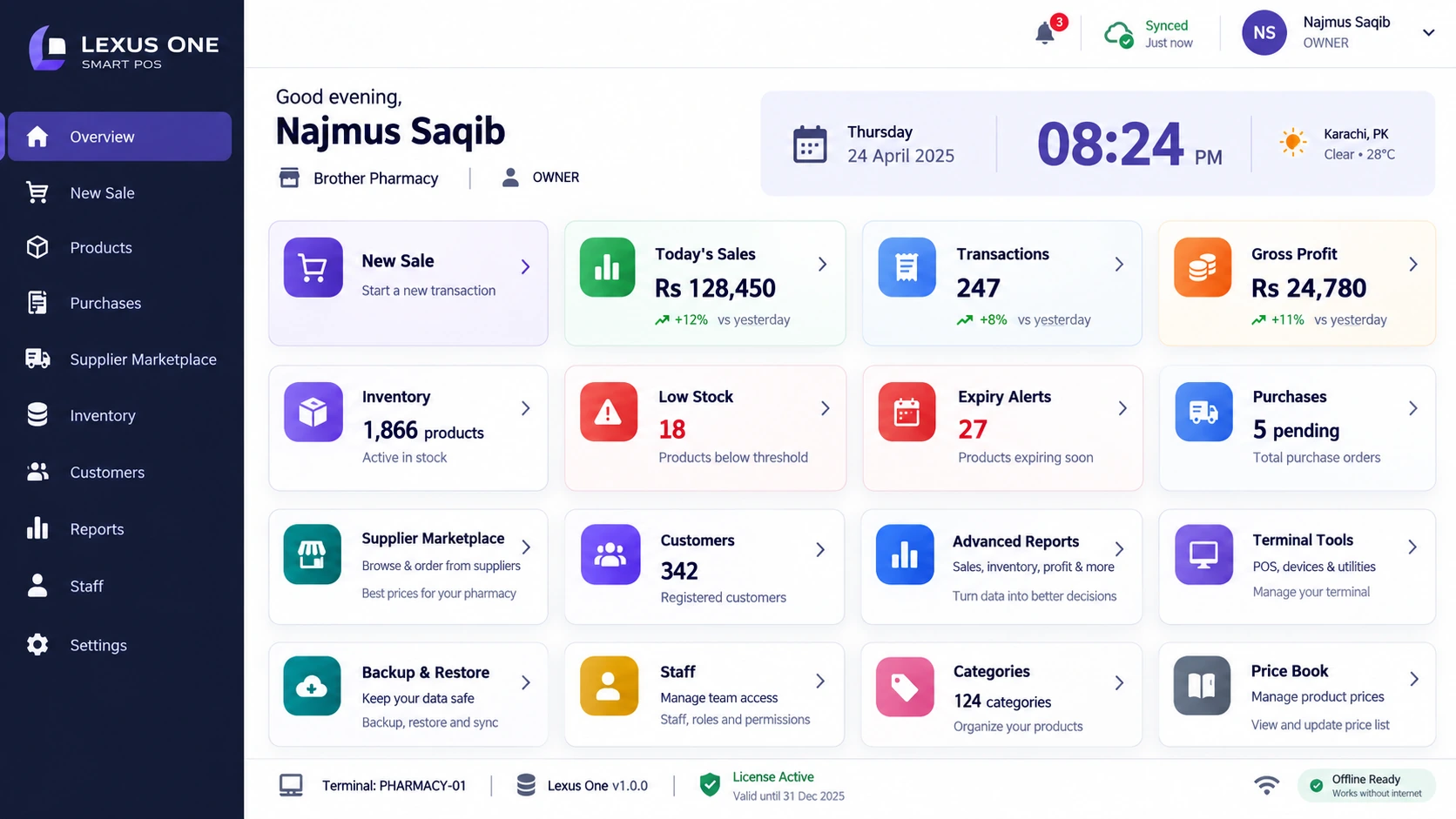
Interface previews supplied by Lexus Developers are shown for illustration. Names, prices, ratings and figures displayed in the images are not live supplier offers.
Browse supplier stores and order stock directly
Give your next purchase a clear starting point. Open a participating supplier's WooCommerce store, explore its product range and see your purchase prices before you order. Merchants gain a direct way to buy stock; suppliers gain a digital storefront where their products can be discovered and ordered.
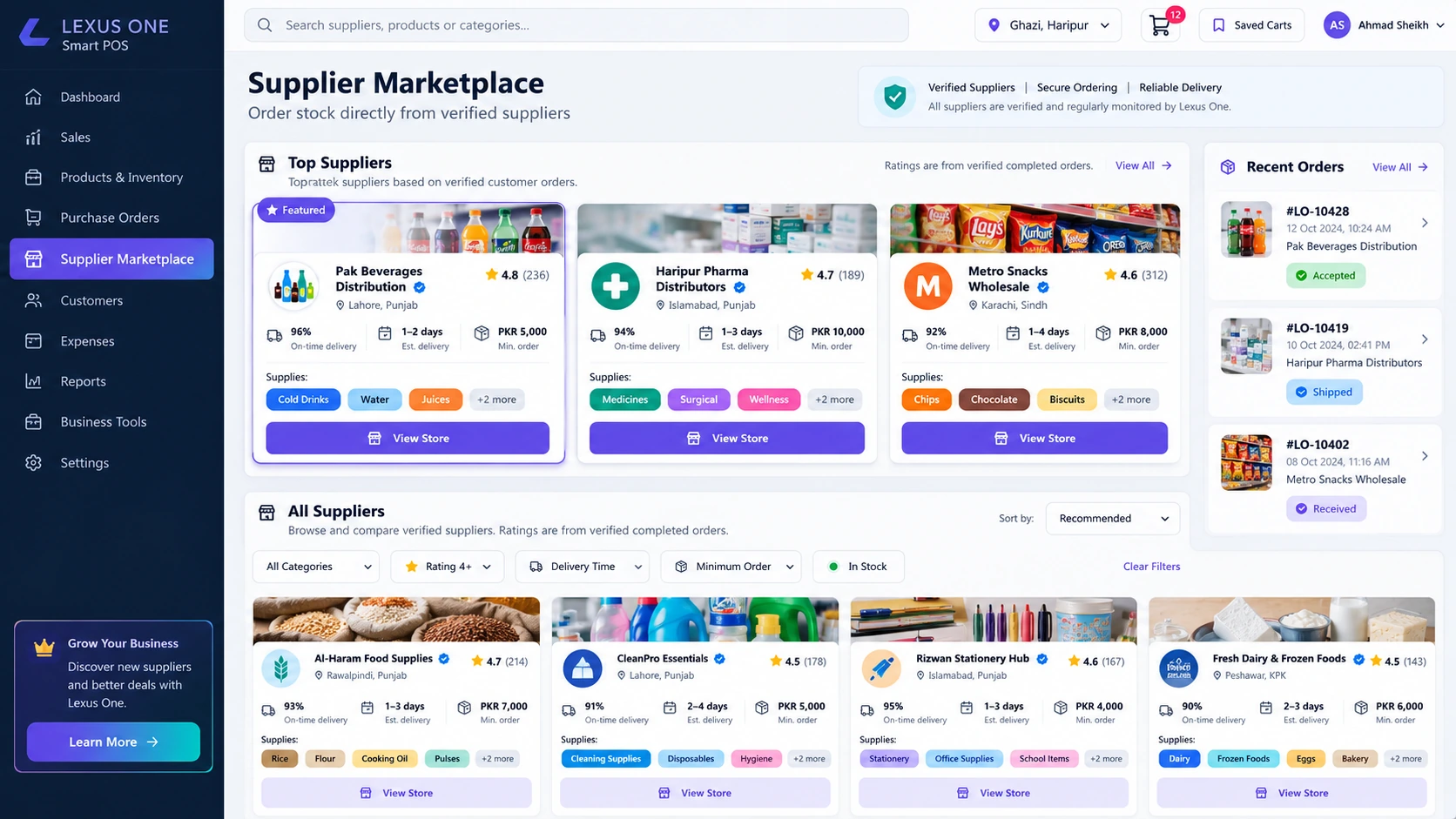
From product catalogue to purchase order
Review the supplier's products and merchant purchase prices, choose the quantities you need and submit your order through the store. The supplier receives the order and prepares the goods for dispatch, keeping the purchasing process connected from the outset.
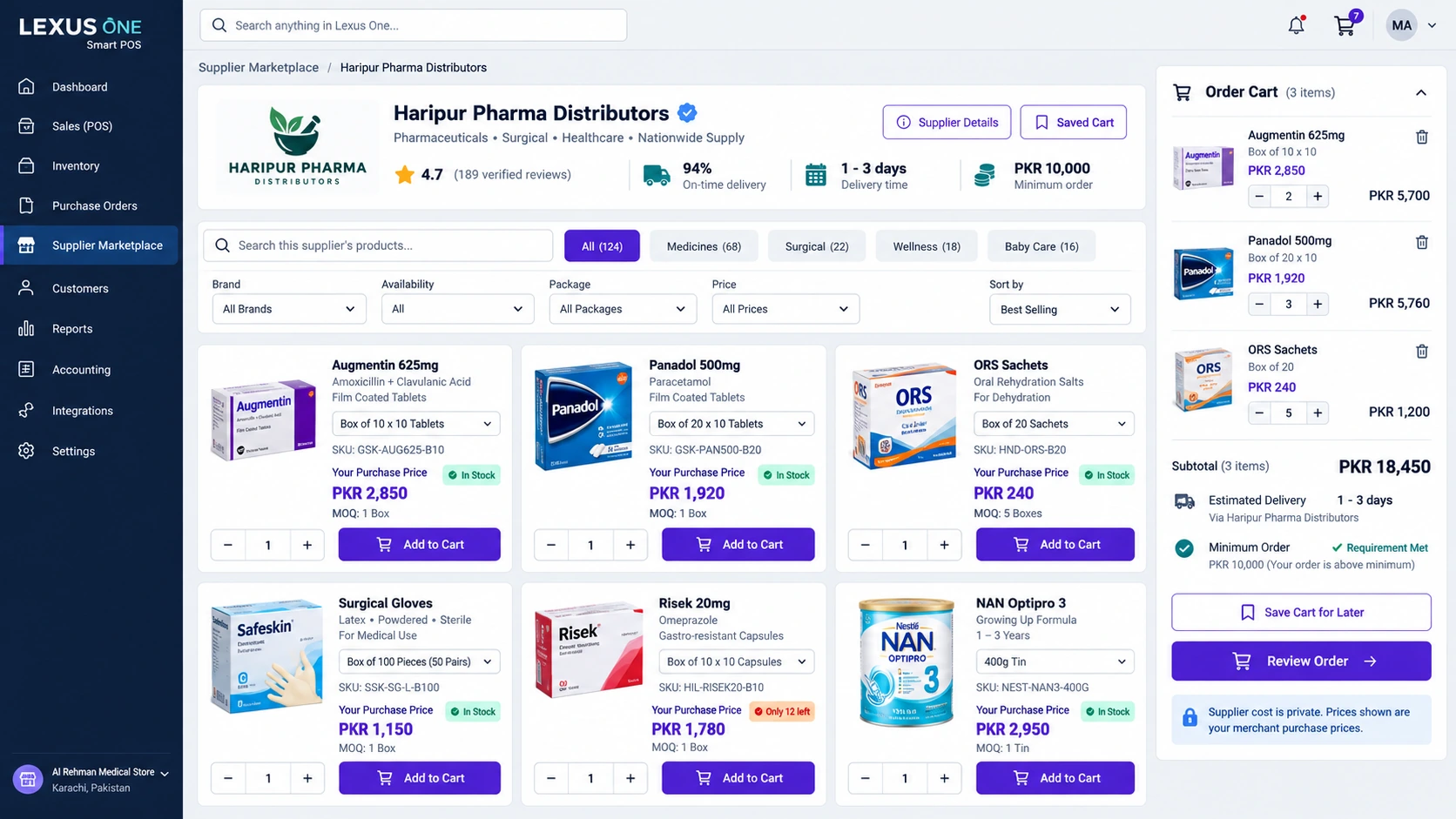
Turn confirmed deliveries into POS inventory
Save the effort of entering the same purchased items again. Once your goods arrive and you mark the received order as complete, Smart POS automatically adds the purchased items to your inventory. Stock entry follows your receipt confirmation, rather than the moment an order is placed.
Choose a supplier
Open a participating supplier's WooCommerce store from the connected marketplace.
Review products and prices
Browse the catalogue and review merchant purchase prices before selecting your stock.
Place your order
Select the required products and quantities, then submit the order directly through the store.
Supplier dispatches goods
The supplier receives your order, prepares the goods and ships them to you.
Confirm receipt
After the goods arrive, receive them and mark the order as complete.
Inventory updates automatically
The purchased items are added to your Smart POS inventory when you complete the received order.
A simpler purchasing workflow for both sides
For merchants
- Explore participating supplier catalogues and purchase prices in one connected workflow.
- Place stock orders directly through supplier stores.
- Reduce repeat purchase entry with inventory updates after confirmed receipt.
- Keep purchasing alongside the sales, inventory and reporting tools your store uses every day.
For suppliers
- Present your product range through a WooCommerce storefront.
- Let participating merchants review products and purchase prices before ordering.
- Receive direct orders with the products and quantities merchants need.
- Use incoming orders as a clear starting point for preparation and dispatch.
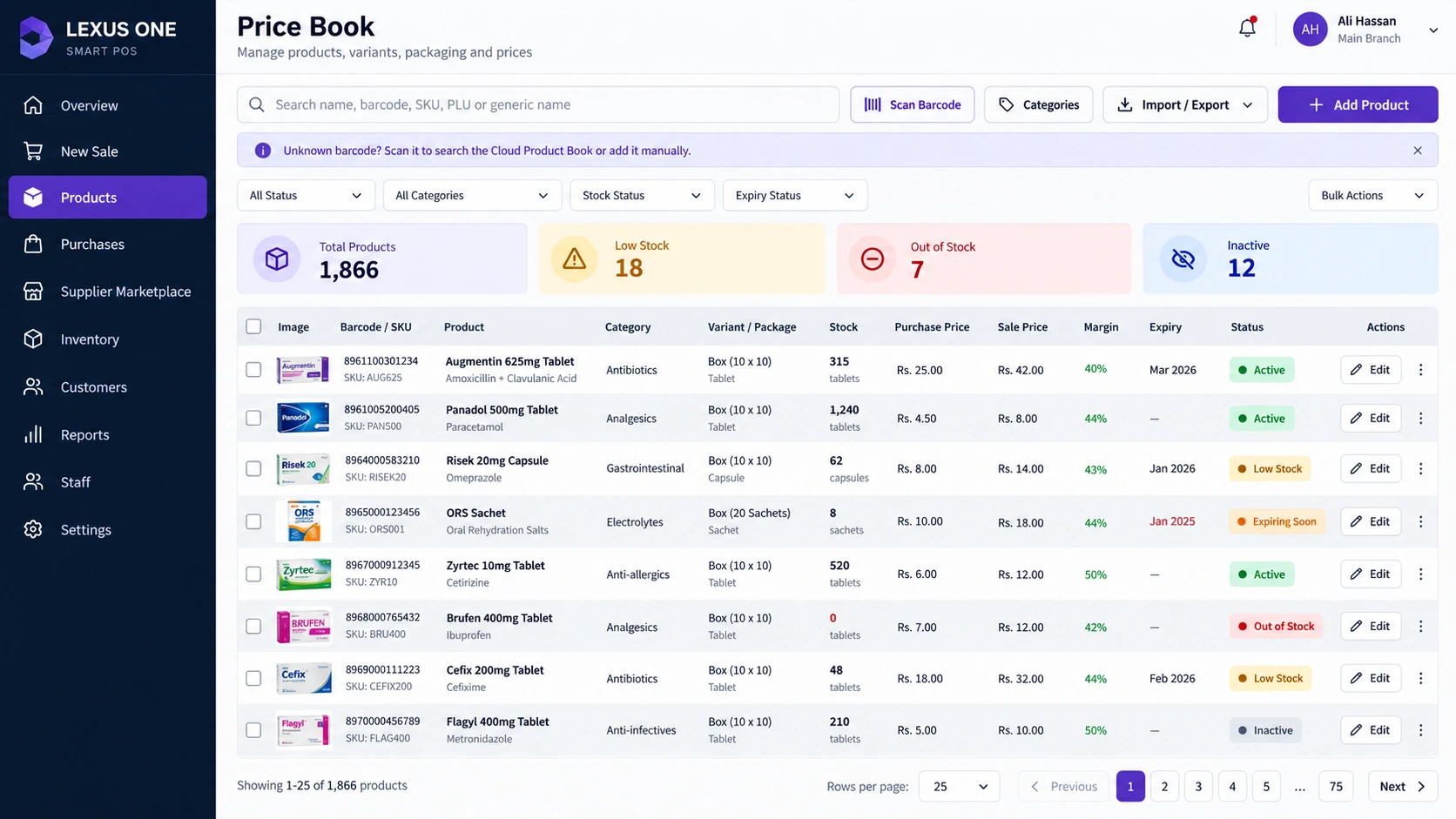
Keep product and price information easy to review
The price book interface brings product, variant, stock and pricing information into one view. Alongside supplier ordering, it shows how purchasing information fits into the broader retail POS workspace.
See the supplier ordering workflow and discuss the requirements of your retail store or supply business.
Supplier ordering and inventory FAQs
Can I view supplier products and purchase prices before ordering?
Yes. Merchants can browse participating suppliers' WooCommerce stores to view product catalogues and merchant purchase prices before placing an order.
Can merchants order stock directly from a supplier's store?
Yes. Merchants can select products and quantities and place an order directly through the participating supplier's store. The supplier receives the order and dispatches the goods.
When are purchased items added to my POS inventory?
Purchased items are added automatically after the goods are received and the merchant marks the order as complete. Placing an order alone does not add received stock to inventory.
How does this workflow help suppliers?
Participating suppliers have a storefront where merchants can explore their product range, review purchase prices and submit orders. Incoming orders give suppliers a clear basis for preparing and dispatching goods.